Author: technerd

  • Firecrawl: Turn Any Website Into Markdown for Your AI Agent

    Firecrawl: Turn Any Website Into Markdown for Your AI Agent

    Every AI agent that browses the web hits the same wall: the web is HTML, and models want markdown. Raw HTML is bloated with navigation, scripts, and tracking pixels — thousands of tokens of noise for a few hundred tokens of actual content. Someone has to clean it up, and for the last two years, a lot of people have quietly handed that job to Firecrawl.

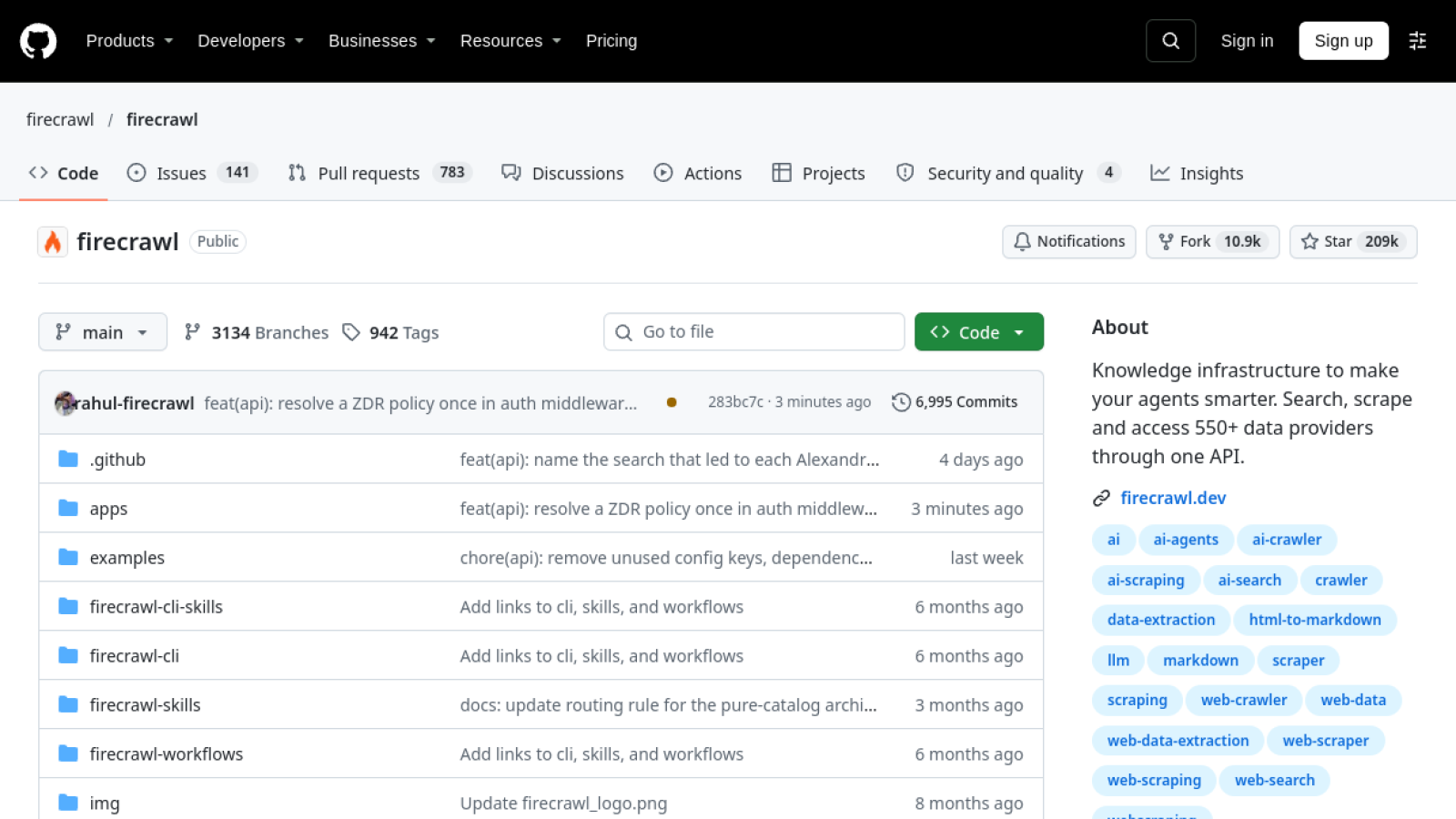
    The numbers tell you how widely. The project, firecrawl/firecrawl on GitHub, has more than 208,000 stars and 10,900 forks, sits at number six on GitHub Trending today, and its README claims 71 million downloads. It’s one of those tools that became infrastructure while nobody was looking — the thing your agent framework uses under the hood to read the internet.

    What makes it worth writing about now isn’t the star count. It’s that Firecrawl recently changed shape: the same tool that used to be a hosted API now runs as a single binary on your own machine, plugs straight into your AI coding tools, and costs nothing to try.

    What it actually does

    Strip away the marketing and Firecrawl does a handful of things, all through one API.

    Scrape turns a single page into clean markdown — or structured JSON, or a screenshot — with the boilerplate removed. Crawl walks a whole site and saves one markdown file per page. Map lists every URL on a site so you know what exists before you fetch it. Search runs a web search and returns full content from the results, not just snippets. Interact clicks around a page with AI prompts — “search for mechanical keyboard”, “click the first result” — for pages that need more than a fetch. And Agent takes a plain-language request like “find the pricing plans for Notion” and goes and gets the answer, no URLs required.

    Behind those verbs sits Alexandria, Firecrawl’s data layer: access to more than 550 data providers through the same API, for the kind of information scraping alone can’t reach. That’s the hosted side’s real edge over a scraper you run yourself — it’s not just fetching pages, it’s a catalogue of sources.

    The hosted service claims it covers 96% of the web, including JavaScript-heavy pages and dynamic apps, with a P95 latency of 3.4 seconds across millions of pages. Those are the company’s own figures, from its own benchmarks, and should be read as such — but the star count suggests plenty of people have found them close enough to true in practice.

    The new part: it runs on your machine now

    The genuinely new piece is Firecrawl Local. Instead of sending every page to a hosted API, you install one binary on your own machine and it turns websites into clean markdown locally — no database, no queue, no container to babysit. It installs from crates.io:
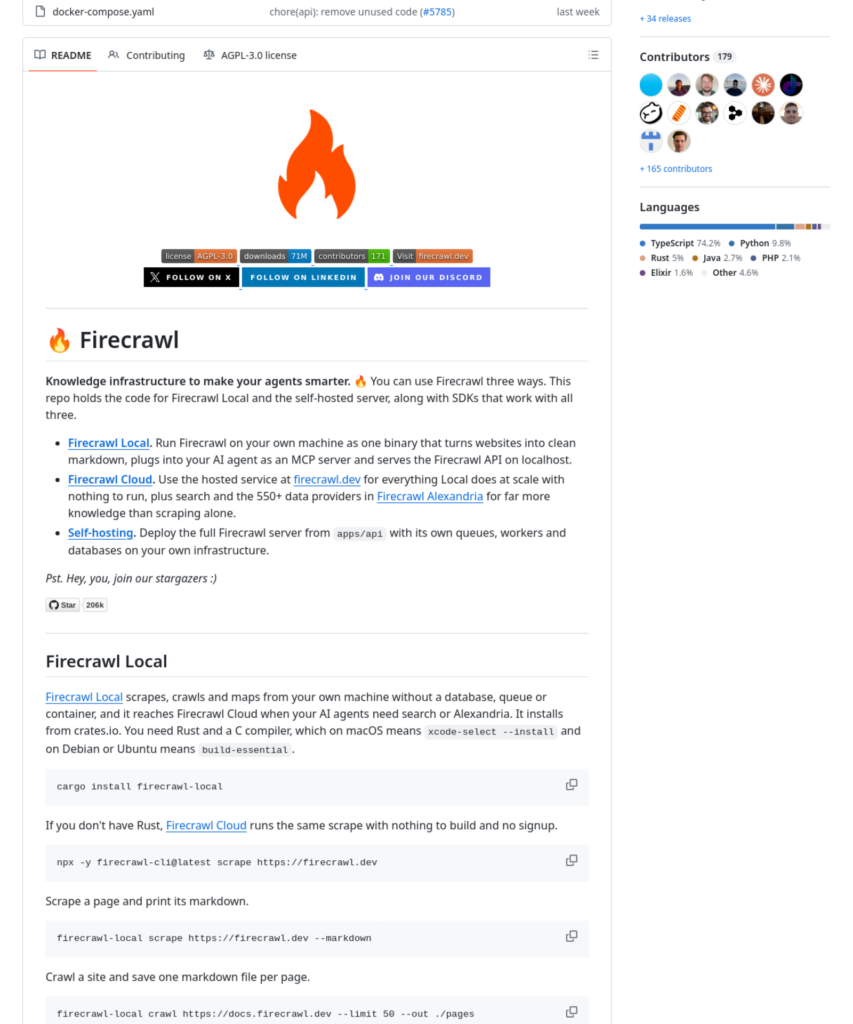
    Screenshot of the Firecrawl README showing the Firecrawl Local section with install commands
    Screenshot: github.com/firecrawl/firecrawl
    cargo install firecrawl-local

    You need Rust and a C compiler, which on macOS means xcode-select --install and on Debian or Ubuntu means build-essential. Once it’s in, the commands are what you’d expect:

    firecrawl-local scrape https://firecrawl.dev --markdown
    firecrawl-local crawl https://docs.firecrawl.dev --limit 50 --out ./pages
    firecrawl-local map https://firecrawl.dev

    Pages that need JavaScript render in the Chrome or Chromium already on your machine, and PDFs and Office documents get parsed locally too. And then there’s the part that matters most for agent builders: firecrawl-local init finds Claude Code, Claude Desktop, Cursor, Windsurf, Gemini CLI, and Codex on your machine and adds Firecrawl Local to each one as an MCP server, backing up every config file first. Restart your tool, and your agent can scrape, crawl, and map the web from your own machine. The MCP server needs Node.js 22 or newer.

    There’s also a serve command that answers the Firecrawl v2 API on port 3002, so code written against the hosted API runs against your local install unchanged, with no API key needed for local routes. Point any Firecrawl SDK at http://localhost:3002 and it just works.

    If you don’t have Rust, there’s a no-build route: npx -y firecrawl-cli@latest scrape https://firecrawl.dev runs the same scrape through the hosted service with no signup at all.

    Two minutes to your first scrape

    The fastest honest test is the keyless tier. Firecrawl Keyless gives you 1,000 free credits a month with no API key and no signup, across the MCP server, the CLI, and the API. That’s enough to find out whether the output quality is what you need before you commit to anything.

    From Python, the shape of it is about as simple as an API gets:

    from firecrawl import Firecrawl
    
    app = Firecrawl(api_key="fc-YOUR_API_KEY")
    result = app.scrape('firecrawl.dev')
    print(result.markdown)

    Swap in api_url="http://localhost:3002" and drop the key, and the same code talks to your local install instead. That parity — same SDK, same API, local or hosted — is the design decision that makes the whole thing practical. You prototype against the cloud, move the heavy work local when the bill gets annoying, and nothing in your code changes.

    The honest catches

    A tool with 208,000 stars still has edges, and they’re worth knowing before you build on it.

    First, Local isn’t fully local. A single-page scrape that won’t load on your machine gets fetched by Firecrawl Cloud instead, and the result is marked "source": "firecrawl-cloud". Those cloud calls work without an account at a limited rate, and firecrawl-local login puts them on your account. If you want everything to stay on your machine, set FIRECRAWL_CLOUD=off — but know that pages which needed the fallback will then come back with a warning instead of content.

    Second, the fancier features are cloud-only. Interact, Agent, and the monitoring tools don’t run in Local, and neither does structured JSON output, summaries, or screenshots. Local gives you markdown, HTML, and links. If your agent needs to click around a page or get structured data back, that’s the hosted service.

    Third, the license. The repo is AGPL-3.0, which is copyleft with teeth: if you modify the server and offer it over a network, you have to share your changes. That’s fine for most users and a real consideration for anyone building a commercial product on top of the self-hosted code. Read it before you build, not after.

    And the pricing beyond the free tier lives on firecrawl.dev, not in the README — the Keyless 1,000 credits a month is the documented free tier, and anything beyond that is a conversation with their pricing page.

    Who it’s for

    If you’re building an AI agent that needs to read the web — a research assistant, a coding agent that looks up documentation, a monitoring tool that watches pages change — Firecrawl is the shortest path from “my agent needs that page” to “my agent has that page as clean text.” The MCP integration is the killer feature here: one command, and every major agent tool can browse the web through your machine.

    It’s also the natural companion to this week’s open-model releases. A cheap, capable model like Sarvam 105B running on a single GPU still needs something to read, and a memory-native model like MemT-1.0-Pro still needs fresh information from outside its own weights. Firecrawl Local plus a self-hosted model is a fully local agent stack: your model, your machine, your data, the live web as input.

    Skip it if your needs are simpler. One page, once, for yourself? Your browser’s reader mode or a copy-paste does that for free. Firecrawl earns its keep when the fetching is programmatic, repeated, or part of an agent’s workflow — when the web is an input to a system, not a place you visit.

    Two hundred thousand stars don’t happen by accident, and they don’t happen for a tool that only works in demos. Firecrawl got there by solving a boring, essential problem — turning the messy web into clean text machines can use — and doing it well enough that people stopped thinking about it. The Local binary just removes the last excuse for not trying it: no account, no API key, no server to run. One command, and your agent can read the internet.


  • Sarvam 105B: A 105B Open Model That Runs on One GPU

    Sarvam 105B: A 105B Open Model That Runs on One GPU

    A 105-billion-parameter model you can run on one graphics card. That was the headline out of Bengaluru on November 22, when Sarvam AI released the open weights for Sarvam 105B — its flagship model, built for customer support, voice agents, and agentic work, with Indian languages at the centre of the design rather than an afterthought.

    The release is interesting for two separate reasons, and they’re worth keeping apart. One is the model itself: big, open, cheap to run through Sarvam’s API. The other is what it says about where capable open models are heading — toward hardware ordinary teams can actually own.

    The specs, straight

    Sarvam 105B is a mixture-of-experts model: 105 billion parameters in total, with 10.3 billion active per token. It ships under the Apache-2.0 license, which is about as permissive as open-source licensing gets — use it commercially, modify it, build on it, no royalties, no strings beyond attribution.

    Two versions are on Hugging Face. The full-precision BF16 checkpoint is 198GB. The NVFP4 quantized version is 65GB, and that smaller one is the whole story — it’s the version that fits on a single GPU.

    Context length is 160,000 tokens according to Sarvam’s announcement, though the model card on Hugging Face still lists 131,072. That’s a genuine discrepancy in the project’s own materials, not a rounding difference, and it’s worth knowing before you plan around the larger number. Treat 131K as the safe figure until Sarvam clears it up.

    The one-GPU claim has a footnote

    Here’s the claim that made the rounds: the NVFP4 version runs on a single 96GB RTX PRO 6000 Blackwell GPU, at 99 tokens per second per user. If true, that’s a big deal — a 105B-class model, self-hosted, on one card, with no cluster and no cloud bill.

    The footnote is the card. The RTX PRO 6000 Blackwell is a workstation GPU, and the NVFP4 format depends on Blackwell’s FP4 tensor cores. Older GPUs — including the previous generation of datacentre cards many teams already own — can’t run this quantization at all. So “one GPU” is true, but it’s one specific, expensive, current-generation GPU, not the one already sitting in your server.

    That doesn’t make the claim false. It makes it conditional, in the way most hardware claims are. If you’re buying fresh hardware for inference, a single-card setup for a 105B model is a real option now. If you’re hoping to run it on the cards you already have, check the spec sheet first — this is not a free lunch for old hardware.

    The price cut is the real story

    For most people, the API price matters more than the weights. Sarvam cut the blended price of its 105B model to $0.15 per million tokens, down from $0.44 — roughly a two-thirds cut. Through its Token Factory, the price is ₹10 per million input tokens and ₹25 per million output tokens. That introductory pricing runs through the end of 2026; what happens after that hasn’t been announced, so anyone building a business on the current rate should plan for it to move.

    Even so, $0.15 per million tokens for a model in this class is aggressive. Sarvam’s own comparison puts it against Gemini 3.5 Flash-Lite at $0.85 and Gemma 4 31B at $0.54, with similar benchmark scores — more on those below. If the price holds, the economics of running a capable agent in production change meaningfully, especially for high-volume uses like customer support, where token costs are the whole business model.

    How good is it, really?

    Sarvam reports an average of 73.9 across eight conversational agent benchmarks, up from 42.6 for its February release — a huge jump, and a sign of how fast the company’s models have improved this year. The same evaluation puts Gemini 3.5 Flash-Lite at 74.0 and Gemma 4 31B at 73.0, which would place Sarvam 105B roughly on par with both.

    Two caveats, both standard for a launch like this. First, these are Sarvam’s own evaluations, run by Sarvam, on benchmarks Sarvam chose. Independent testing hasn’t happened yet. Second, “conversational agent benchmarks” is a specific slice of capability — how well a model holds a conversation, uses tools, and completes multi-turn tasks. It’s the right slice for the model’s stated purpose, but it’s not a general intelligence score, and it says nothing about reasoning, coding, or long-document work.

    What the model is for is clearer than how it ranks. Sarvam built it for customer support, voice agents, and agentic tasks, with strong Indian-language coverage. That last part is the quiet differentiator: most frontier models treat Indian languages as a checkbox. Sarvam’s entire company is built around them, and for anyone serving users in Hindi, Tamil, Telugu, Bengali, or the dozen other languages in the mix, that focus is worth more than a point or two on a benchmark.

    Who should try it, and who should wait

    Try it if you run customer support or voice agents at volume and your token bill is the thing keeping you up at night. Try it if you’re building for Indian-language users and you’ve been waiting for a model that treats those languages as first-class. Try it if you have Blackwell hardware — or you’re buying it — and you want a serious model running on your own machine, under your own control, with an Apache-2.0 license that lets you do what you like with it.

    Wait if you need top-tier reasoning or coding — that’s not what this model is tuned for, and the benchmarks Sarvam published don’t cover it. Wait if your hardware is a generation old; the single-GPU story doesn’t apply to you. And wait, as always, for independent benchmarks before you bet a product on the headline numbers.

    It’s also worth seeing Sarvam 105B in the context of a very busy week for open models. The day after this release, MemTensor and NVIDIA announced MemT-1.0-Pro, a 554-billion-parameter model with memory built into the weights — a completely different bet, on architecture rather than price. The two releases point in opposite directions: one says the future is smarter models, the other says it’s cheaper ones. Both can be right, and the interesting systems will probably use both — a cheap, capable model like Sarvam’s doing the talking, paired with tools that give it something to talk about, like Firecrawl, which turns the live web into clean markdown for agents.

    A 105B model on one GPU, at fifteen cents a million tokens, from a team that actually cares about the languages its users speak. The hardware footnote is real, and the benchmarks need independent checking. But the direction of travel is hard to argue with: capable open models keep getting cheaper to run, and the gap between what you can self-host and what you have to rent keeps shrinking.

  • MemT-1.0-Pro: NVIDIA’s 554B AI That Actually Remembers

    MemT-1.0-Pro: NVIDIA’s 554B AI That Actually Remembers

    The pitch is simple, and if it works, it’s a big deal: an AI model that remembers.

    MemTensor and NVIDIA announced MemT-1.0-Pro on November 23, a 554-billion-parameter model with memory built into the weights themselves — not bolted on as a retrieval system, not faked with a longer context window. The model is open-weight and live on Hugging Face, and its headline result is a 41.80 on BEAM-1M, a long-horizon memory benchmark where its smaller sibling, MemT-Flash, scored 37.04.

    That number deserves a closer look before anyone gets carried away. But the idea behind it is the most interesting thing to happen to model architecture in a while, and it’s worth understanding on its own terms.

    Memory inside the model, not bolted on

    Every AI assistant you’ve ever used has the same flaw: it forgets everything between sessions. The fixes so far have all been workarounds. Retrieval-augmented generation (RAG) keeps notes in an external database and fetches the relevant ones when you ask something — useful, but the model itself never learns anything; the notes are just pasted into its prompt. Longer context windows let a model re-read more of its own history, but the cost grows with every token, and past a certain point the model starts losing track of what’s in there anyway.

    MemT takes a third route. Its memory is part of the model. The architecture, called a Native Memory Block, has two layers: Local Memory Blocks that hold onto recent, fine-grained detail, and Hyper Memory Blocks that compress the bigger picture over time. The memory parameters are trainable — 4.23 billion of them — and the model carries around 13 million units of what MemTensor calls dynamic memory state as it works. In plain terms, the model doesn’t just look things up. It writes things down, in its own weights, and reads them back later.

    The practical promise is that an agent built on MemT-1.0-Pro could pick up a project on Tuesday where it left off on Monday, remember what a user prefers without being told again, and keep a coherent thread across weeks of interaction — without a retrieval database and without re-reading a million-token transcript every turn.

    The numbers, and the asterisk

    MemTensor’s own evaluation puts MemT-1.0-Pro at an average of 53.08 across 11 memory benchmarks, the highest among the parametric-memory methods it compared against. On BEAM-1M — a benchmark built specifically around long-horizon memory, where the model has to hold information across a million tokens of interaction — it scored 41.80, ahead of MemT-Flash at 37.04.

    Read those figures for what they are: the vendor’s own numbers, on benchmarks the vendor helped design, with no independent reproduction yet. That’s not a reason to dismiss them — it’s how every model launch works — but it is a reason to wait for someone outside MemTensor to run the same tests before treating 41.80 as settled fact.

    One more clarification matters, because the launch coverage has been sloppy about it. You’ll see claims that MemT uses “66 times less storage” and runs “1.86 times faster” than a full context cache at 128K history. Those figures belong to MemT-Nano, the smallest member of the family, released back on October 20 alongside Flash. They are not Pro’s numbers, and they shouldn’t be quoted as if they were. Pro is the big, capable one; Nano is the efficient one. Different models, different claims.

    What’s actually under the hood

    MemT-1.0-Pro is built on NVIDIA’s Nemotron-3-Ultra-550B-A55B-BF16 backbone — a 554-billion-parameter mixture-of-experts model with 59 billion active parameters per token. Training ran on NVIDIA’s Megatron-Core and Megatron Bridge frameworks, and the release was a joint effort between MemTensor and NVIDIA, not a solo open-source drop.

    The license is OpenMDW-1.1, MemTensor’s own open-weight license, and the weights are on Hugging Face now. Anyone can download them, which puts Pro in the same practical category as the other big open models: usable for research and self-hosting, with license terms worth reading before you build a product on them.

    Fifty-nine billion active parameters is still a heavy model. This is not something you run on a laptop, and it’s not trying to be. It sits in the same weight class as the big open models — the point isn’t that it’s small, it’s that the memory system is supposed to make those parameters go further over long interactions.

    Who this is actually for

    The honest answer: researchers and agent builders first, everyone else later.

    If you’re building an agent that works with the same user or the same codebase over days and weeks — a coding assistant that should remember your project’s conventions, a support agent that shouldn’t ask the same questions twice, a research tool that accumulates findings — MemT-1.0-Pro is the first open model designed for that job from the inside out. That’s a genuine gap in the market, and if the memory system holds up in real use, it matters more than another point on a general benchmark.

    If you just want a good general-purpose chat model, or cheap inference, look elsewhere. There are smaller, faster, cheaper open models for that — including Sarvam 105B, the 105-billion-parameter open model released the day before MemT, which runs on a single GPU and costs $0.15 per million tokens through its API. MemT-1.0-Pro is a specialist, and specialists are for people with the specific problem.

    The other audience is anyone building agents that need to find things, not just remember them. Memory and retrieval solve different halves of the same problem — one keeps what you’ve already seen, the other goes and gets what you haven’t. Tools like Firecrawl, which turns the live web into clean markdown for agents, are the other half of this stack, and the two ideas will end up in the same systems.

    What to watch next

    Three things will decide whether MemT-1.0-Pro is a real step forward or an interesting demo.

    First, independent benchmarks. Someone outside MemTensor needs to run BEAM-1M and the other memory tests, and ideally build new ones the vendor didn’t design. Until then, 41.80 is a claim, not a fact.

    Second, memory over real time. Benchmarks compress weeks of interaction into a test run. The real question is what the memory system does over a month of actual use — whether it stays useful, whether it drifts, whether it holds onto the wrong things. Nobody can answer that from a launch announcement.

    Third, the ecosystem. Open weights are only the start. The model needs serving setups, agent frameworks that know how to use its memory, and honest documentation about when the memory helps and when it gets in the way. Watch what gets built on it in the next few months; that will tell you more than any benchmark.

    Models that forget everything between sessions have been the quiet tax on every agent demo you’ve ever seen. MemT-1.0-Pro is the first serious open attempt to remove that tax at the architecture level. Whether it works as advertised is still an open question — but it’s the right question, asked by the right people, with the weights out in the open for anyone to check.